
This post may contain affiliate links, meaning I receive a small commission if you make a purchase using these links. As an Amazon Associate, I earn from qualifying purchases at no additional cost to you.
Kids constantly ask what time it is (even when they can’t tell time). One of the simplest ways to solve this problem is to display a classroom schedule they can understand and read. See how simple it is to display a classroom schedule that helps with transitions and the flow of the classroom atmosphere!

How to Set Up and Organize a Classroom Schedule
Many students are visual learners. They may process things orally but understand more when they can also see them. Teachers also appreciate visuals to support instruction. A visual aid is one of the most effective ways to get a point across and support students.
One example of this is using a visual schedule. You can tell a child all day when lunch is, but they won’t fully understand until they see it posted with picture examples or a clock in front of them.
This post helps illustrate the importance of having a classroom schedule, how to set up and organize it, and how to effectively use it to support students.
Table of contents
What is a Visual Schedule and Why is it Important?
A visual schedule is exactly what it sounds like. It’s a schedule that shows students when the day’s events will occur. Sometimes these elements are movable, and sometimes they are handwritten. The schedule may provide both words and images for students who can’t read well.
A posted schedule lets students see when the next day’s events are happening without interrupting the lesson. If they are curious about when recess is, they can peek at the schedule to see what comes next. It’s like crossing off a to-do list for kids!

When to Use a Visual Schedule
The purpose of a visual schedule is to use it all day, every day. Many elementary teachers use a schedule that they can check off or move around as the day progresses. They even have a calendar leader or scheduler classroom job who moves the pieces or clips to show where students are in the lessons.
Here’s a list of when you may need to use a schedule.
- Back to school – Use the schedule at the start of the year to show kids how each day will go.
- Morning Meeting – Display the schedule and review it each day (especially when there are changes) so the kids aren’t surprised.
- Assemblies – Let kids know when assemblies are by popping them into the daily schedule!
- Center time – Help kids with class routine transitions by checking off the centers they have been to and pointing to where they will go next.
- Snack or Lunchtime – Kids always want to know when meal times are, so make sure you include them in your schedule. This way, they don’t have to ask a million times each day.
- Recess – This is another daily activity the kids look forward to. Use the schedule cards to show them when this active time of the day will take place.
- Specials and Extracurriculars – Make sure to add P.E., Art, Language, Music, Technology, and other extras to the schedule.
- Home – Always end the schedule with home so they aren’t anxious about that time of day.
- Use for kids with IEPs – A personal schedule will help these students understand the times of day and any special activities they need to attend.
- Desk schedules – Give kids their own schedules to keep at their desks so they can check them off and track their day independently.

Ideas and Strategies to Help!
Implement a schedule helper! Assign this super important classroom job to a student each week. The child will move the schedule pieces, cross off completed tasks, or move the clip to show where they are in the day. This helps the whole class see what’s next and move through transitions more easily.
Laminate your schedule cards! This makes the pieces durable, so you can use them all year and for years to come. Plus, having a laminator on hand is essential in a primary classroom.
Display in a prominent spot! Choose a space students will see every day. Avoid hiding it behind other things. A whiteboard, pocket chart, or bulletin board is a great option!

Ways to Set Up A Classroom Schedule
There are many great ways to set up a classroom schedule. Here are a few ideas that will work in your classroom.
- Have students help – This not only builds classroom community but helps the kids see when certain lessons happen throughout the day.
- Display in a Pocket Chart – Putting the schedule pieces in a pocket chart allows you to move the pieces as needed. Switch them around if you need to adjust the schedule for an assembly or a half day!
- Magnetize the Pieces – Use adhesive magnets to stick the day’s events on your whiteboard! You can post the schedule and move things around, which is ideal for a school setting.
- Give Out Personal Schedules – Print the classroom schedules with little checkboxes next to each task. Laminate the cards, attach them to student desks, and let kids check off the day’s events as they go!

Try Using This Resource Instead of Making Your Own
Get your own editable schedule cards to display in the classroom! This resource provides a variety of options for displaying a classroom schedule.

You’ll get editable student checklists students can use at their seats, plus posters and headers for a schedule displayed on the wall.

The download also comes with clocks and checkmarks to help kids follow along. Not to mention, there are different-size card options, so you can use them on the whiteboard, on student desks, or in pocket charts!
Classroom Schedule Resource
Try the Class Schedule Resource by Proud to be Primary. It includes 60 editable schedule cards in different printable sizes. It also includes clocks and check marks so students can follow along during the day, plus student schedules they can store in their desks. Use the posters and headers to make a beautiful schedule in one corner of your classroom and make transitions a breeze!

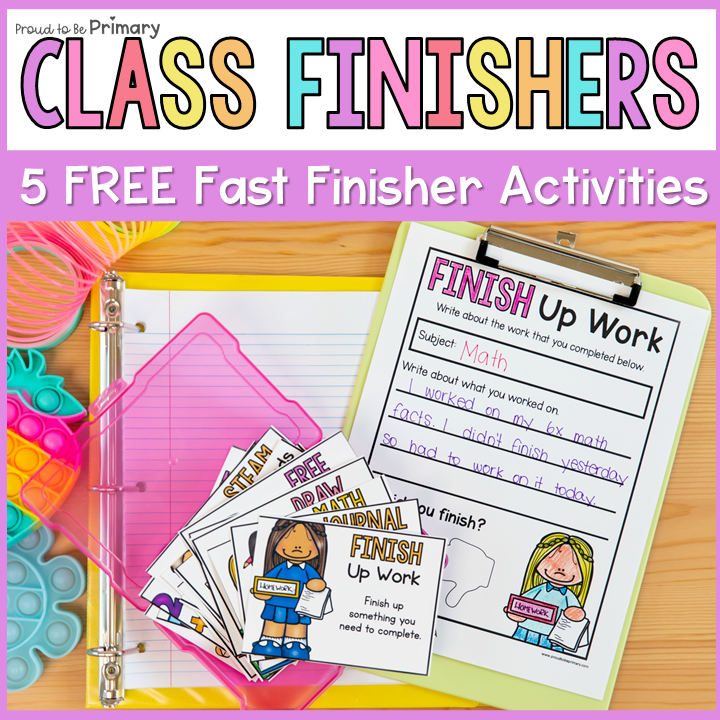
FREE Fast Finishers Activities
Every classroom has students who finish their assignments a little before the rest. Have these fast-finisher activities on hand to keep them occupied while you help other students complete their tasks. You can even add the fast-finishers to the schedule to show appropriate times to use them!
Click the image below to grab a copy.
More Time Management Ideas & Activities


PIN for Later


Leave a Comment